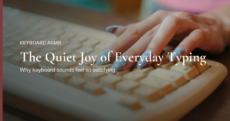
laptop keyboards and slim office keyboards are made to be quiet. that is useful, but typing on them can feel a little flat. a keyboard sound app for Windows brings back the feel of a mechanical keyboard, using the keyboard you already have.
here is what these apps do, what to look for on a Windows PC, and how 5fifi flow works there.
what a keyboard sound app for Windows does
the app notices the moment you press a key or click the mouse, and plays a short sound right then. it works in every program, from your browser to a document to a chat window.
your keyboard itself stays exactly as quiet as before. if you wear headphones, the sound reaches only you, which makes it easy to use in a shared office or late at night.
what to look for before you install one
a sound that arrives late feels wrong almost at once, so the first thing is speed. the click should land with the key, not a moment after it.
a few other things are worth checking:
- it keeps working. some apps go quiet after you hold a key down for a while, or after the PC wakes from sleep. a good one handles both.
- it runs on your PC. newer Windows laptops with Snapdragon chips use ARM64, so check that the app offers a build for it.
- it respects your privacy. the app only needs to know *that* a key was pressed, never *which* one.
- it stays light. it should sit in the system tray and use very little memory.
how 5fifi flow works on Windows
5fifi flow is a free keyboard and mouse sound app for Windows 10 and 11. it is a native Windows app, built separately from the Mac and Linux versions rather than shared across them.
- x64 and ARM64. there is a download for regular Intel and AMD PCs, and one for ARM64 laptops.
- 20 sound packs. 10 keyboard sounds and 10 mouse sounds, all real recordings, chosen separately.
- built to keep playing. holding a key down or waking the PC from sleep doesn’t stop the sound.
- lives in the system tray. “Launch at Startup” is on by default, so it is ready when you sign in.
- free and private. no account, no ads, no subscription, and it doesn’t record what you type.
a short note on the first launch
5fifi flow is downloaded from our website, not the Microsoft Store. because of that, Windows may show a blue “Windows protected your PC” message the first time you open it. this is normal for small, independent apps.
click More info, then Run anyway, and you only need to do it once. the Windows install guide walks through every step.
enjoy the sound you like
if you have been looking at mechanical keyboards mostly for the sound, an app is a gentle way to try that feeling first. our post on thock keyboard sound explains what makes that deep, soft sound so pleasant.
try it on your PC
5fifi flow is free, small, and easy to remove if it isn’t for you. pick a keyboard sound, pick a mouse sound, and see how your next hour of typing feels.
wishing you a happy and peaceful day ahead.
— from 5fifi flow founder